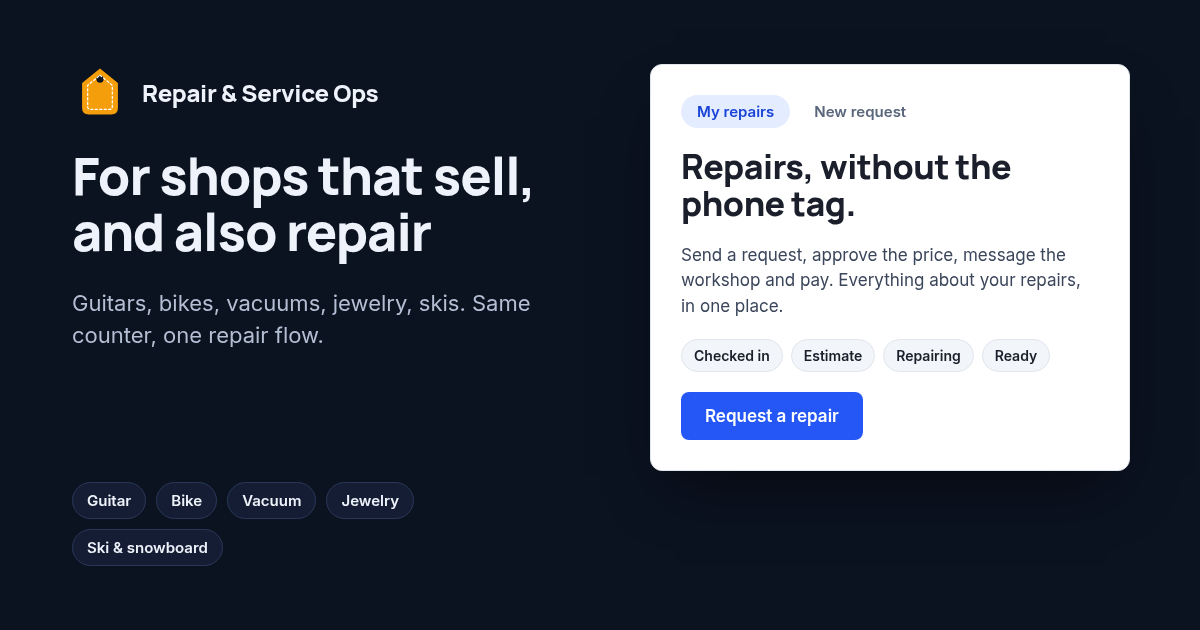
Plenty of good shops sell things and fix them: a guitar shop that does setups, a bike shop with a workshop, a vacuum dealer, a jeweller who resizes rings, a ski and snowboard shop that tunes and repairs. Repairs bring customers back and add margin. They also add a second business to run, with its own paperwork. This guide looks at what repair software has to do for a shop that already sells on Shopify, and how Repair & Service Ops approaches it.
Why retail shops with a repair counter are different
A pure repair business can build everything around the ticket. A retail shop cannot. The same customers buy and repair, the same stock sits behind both, the same staff work the counter, and the books should show one business. Separate repair software that does not know about your products or customers means entering everything twice.
What to look for
- It uses your Shopify customers, so nobody is typed in twice.
- It can add parts from your product catalogue and read their price from Shopify.
- It settles a repair as a Shopify order, so reports and tax stay in one place.
- It works at your register, not only in the back office.
- It leaves your theme alone.
- It gives customers a way to ask for a repair and follow it without calling.
- It does not demand a plan you will outgrow in a month.
Tickets that live inside Shopify
Repair & Service Ops keeps tickets in the Shopify admin. A ticket holds the customer, one or more items, the work and charges, photos, notes and a status. The customer is an existing Shopify customer, and each repair settles as one Shopify order with the deposit already taken off the balance. Read the guide to taking repair orders for the intake details worth capturing.
Parts from your own inventory
A ticket's charges can be a service, a part, a custom charge or a discount. For a part, you search your Shopify products by name or SKU, or scan a barcode at the register. The screen shows how many are in stock, and the price is read from Shopify when the part is added. Parts leave stock when they are sold through the order that settles the repair. Business shops can also see which parts they sold, with quantities and revenue. On the Enterprise plan, parts can be held in Shopify stock for each repair.
A Repair center on your store
From the Pro plan, the Repair center is a page on your own store. Its headline reads Repairs, without the phone tag. A customer can send a request with a few photos, get an estimate, follow each step and message the shop. The app adds nothing to your theme: you link the page from your menu when you want to. Its welcome text adapts to the trade, and the examples include instruments, bikes, sports gear and jewellery.
At the register
With Shopify POS, the Repair desk tile takes in a repair in three steps, takes a deposit and prints a slip and a label. Our POS setup guide shows the flow. It needs the Pro plan.
Keeping customers informed without phone calls
Each ticket has a status page that opens from a link, so customers need no account. They hear from you by email as the repair moves, and by text from the Business plan. Read the status page guide for the details.
The rest of a working bench
- A technician calendar for scheduling jobs, with the option to add them to Google Calendar.
- Staff permissions, so you choose who takes payments or gives refunds.
- Customer pages and messages in nine languages.
- A workflow with your own steps, services and price list on the Business plan.
What it costs
Plans are billed by Shopify, and you change them from the Billing page in the app. The Free plan allows 20 repair tickets a month and one staff seat. Pro is $9 a month with 300 tickets and three seats, and adds deposits and payments, the register, the Repair center, labels and photos. Business is $29 a month with unlimited tickets and ten seats, and adds texts, estimate approval, reminders, reports and a custom workflow. Enterprise is $59 a month, with unlimited seats and tickets, and adds multiple locations, contract customers and your own branding. See the pricing page for the full comparison.
How to try it without risk
- Install on the Free plan and take your next real repairs through it.
- Add a part from your catalogue to one ticket, and check the price and stock.
- Open the status page on your phone, as a customer would.
- Move to Pro when you want deposits, the register or the Repair center.
You can see how it works on the home page or watch the demo first.
Frequently asked questions
Does repair software change my Shopify theme?
Not here. The app adds nothing to your theme. The Repair center is a page you link from your menu when you want to.
Can I use parts from my Shopify inventory?
Yes. You search your products by name or SKU, or scan a barcode, and the price is read from Shopify. Parts leave stock when sold through the order.
What does the Free plan include?
Repair tickets (20 a month), the status page, email notifications to customers and a dashboard, with one staff seat.
What do the paid plans cost?
Pro is $9 a month, Business is $29 and Enterprise is $59. Shopify bills each paid plan.